{
    "Version": "2012-10-17",
    "Statement": [
        {
            "Effect": "Allow",
            "Action": [
                "redshift:Describe*"
            ],
            "Resource": "*"
        },
        {
            "Effect": "Allow",
            "Action": [
                "redshift-data:ExecuteStatement",
                "redshift-data:DescribeStatement",
                "redshift-data:GetStatementResult",
                "redshift-data:ListDatabases",
                "redshift:ListRecommendations",
                "redshift:ViewQueriesInConsole"
            ],
            "Resource": "arn:aws:redshift:ap-northeast-1:123456789012:cluster:redshift-cluster-poc-central"
        },
        {
            "Effect": "Allow",
            "Action": [
                "redshift:GetClusterCredentialsWithIAM"
            ],
            "Resource": "arn:aws:redshift:ap-northeast-1:123456789012:dbname:redshift-cluster-poc-central/*"
        }
    ]
}
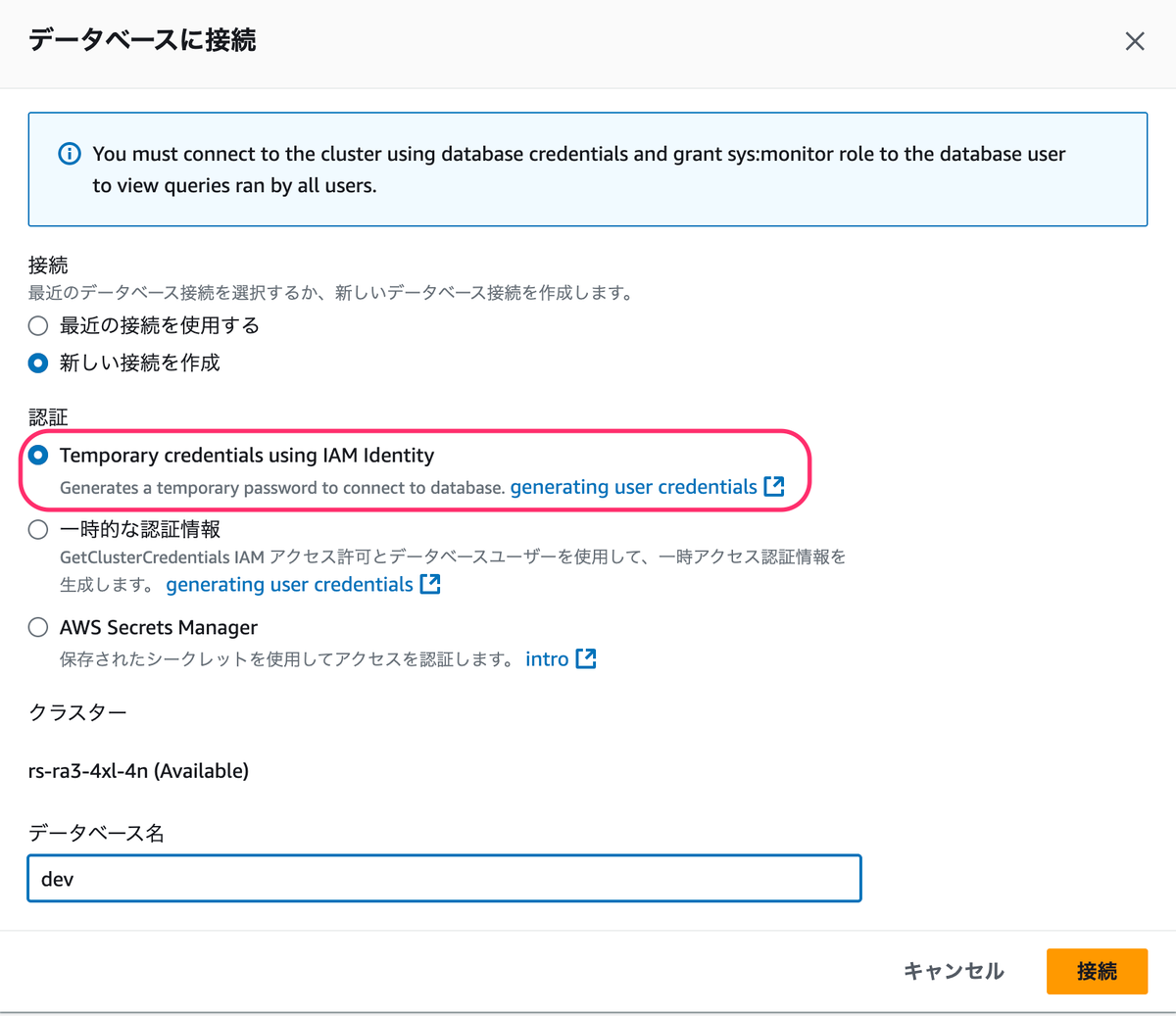
データベースに接続するために以下のドキュメントの IAM 権限に redshift:GetClusterCredentialsWithIAM を追加している。

参考
スーパーユーザーは、スーパーユーザーではないユーザーにアクセス権を提供して、これらのユーザーがすべてのユーザーに対するクエリモニタリングを実行できるようにすることが可能です。まず、クエリモニタリングのアクセス権を提供するためのポリシーをユーザーまたはロールに追加します。次に、ユーザーまたはロールにクエリモニタリング許可を付与します。
(中略)
{
"Version": "2012-10-17",
"Statement": [
{
"Effect": "Allow",
"Action": [
    "redshift-data:ExecuteStatement",
    "redshift-data:DescribeStatement",
    "redshift-data:GetStatementResult",
    "redshift-data:ListDatabases"
],
"Resource": "*"
},
{
"Effect": "Allow",
"Action": "redshift-serverless:GetCredentials",
"Resource": "*"
}
]
}
クエリモニタリングポリシーを追加する - Amazon Redshift
IAM ID を使用した一時的な認証情報
クエリとデータベースのモニタリング - Amazon Redshift
このオプションは、クラスターに接続している場合のみ使用できます。この方法では、クエリとデータベースモニタリングは、ユーザー名を IAM アイデンティティにマッピングして、IAM アイデンティティとしてデータベースに接続するための一時パスワードを生成します。この方法を使用して接続するユーザーには、redshift:GetClusterCredentialsWithIAM への IAM アクセス許可を付与する必要があります。ユーザーがこの方法を使用できないようにするには、IAM ユーザーまたはロールを変更して、このアクセス許可を拒否します。
Specify an IAM role that restricts resources to Redshift Serverless workgroups and Amazon Redshift clusters in an AWS account
You can specify resource ARNs in your identity-based policy to control access to Redshift Serverless workgroups and Amazon Redshift clusters in an AWS account. This example shows how you might create a policy that allows access to the Data API for only the workgroup and clusters in the specified AWS account.{ "Version": "2012-10-17", "Statement": [ { "Effect": "Allow", "Action": [ "redshift-data:CancelStatement", "redshift-data:DescribeStatement", "redshift-data:GetStatementResult", "redshift-data:ListStatements" ], "Resource": "*" }, { "Effect": "Allow", "Action": "redshift-data:*", "Resource": [ "arn:aws:*:AWS account:workgroup/*", "arn:aws:*:AWS account:cluster:*" ] } ] }Configuring IAM permissions - Amazon Redshift
sys:monitor 許可を持つロールが設定されたユーザーは、すべてのクエリを表示できます。さらに、sys:operator許可を持つロールが設定されたユーザーは、クエリのキャンセル、クエリ履歴の分析、およびバキューム操作を実行することができます。
ロールにクエリモニタリング許可を付与する
以下のコマンドを入力して、システムモニタリングのアクセス権を提供します。role-name は、アクセス権を提供するロールの名前です。grant role sys:monitor to "IAMR:role-name";ロールにクエリモニタリング許可を付与する - Amazon Redshift
